
Enhanced Client Communication with Pulse Documents
Learn how the Documents feature in Pulse360 can improve client experiences and streamline your practice’s operations
Check out the 5-minute video to learn about when to use Documents
Utilizing Documents in Pulse360 for Enhanced Client Communication
Here is the question: Why Pulse Documents? And what are Pulse Documents?
Pulse Documents are just deliverables that you can use to email your client or create PDFs from.
To best answer the why, though, let’s go through an example.
A Common Scenario: Client Requests Cash
Consider a simple yet frequent situation in your financial advisory practice: a client requests a $5,000 transfer. Typically, the client might receive a confirmation from the custodian or your home office. Is that a great client experience? Getting something from “corporate?” A better & more personalized approach is for you to immediately email the client, confirming their request and providing details about the transaction.
But that’s not so easy – challenges with your current processes
- Takes Time: Coming up with the right words every time this request comes is a time suck.
- Limited Accessibility of Templates: Perhaps you have templates. Great. However, templates are likely stored in an individual’s email application or Word documents and thus are not accessible to the entire team. So, everyone ends up creating their own versions.
- Formatting Limitations: Standard email templates often lack professional formatting options and they are usually a hassle that you have to deal with.
Solution: Centralized Templates in Pulse360
What are the advantages?
- Centralized Templates: Your entire team can access the same professional-looking templates that you may have built. You can send an email in under 2 minutes that looks on-brand and polished.
- Powerful Template Builder: Build different deliverables using our powerful editor that is optimized for email.
- Saved Sent Documents: When you send an email from Pulse360, we store and save that so that it is accessible under the client record easily.
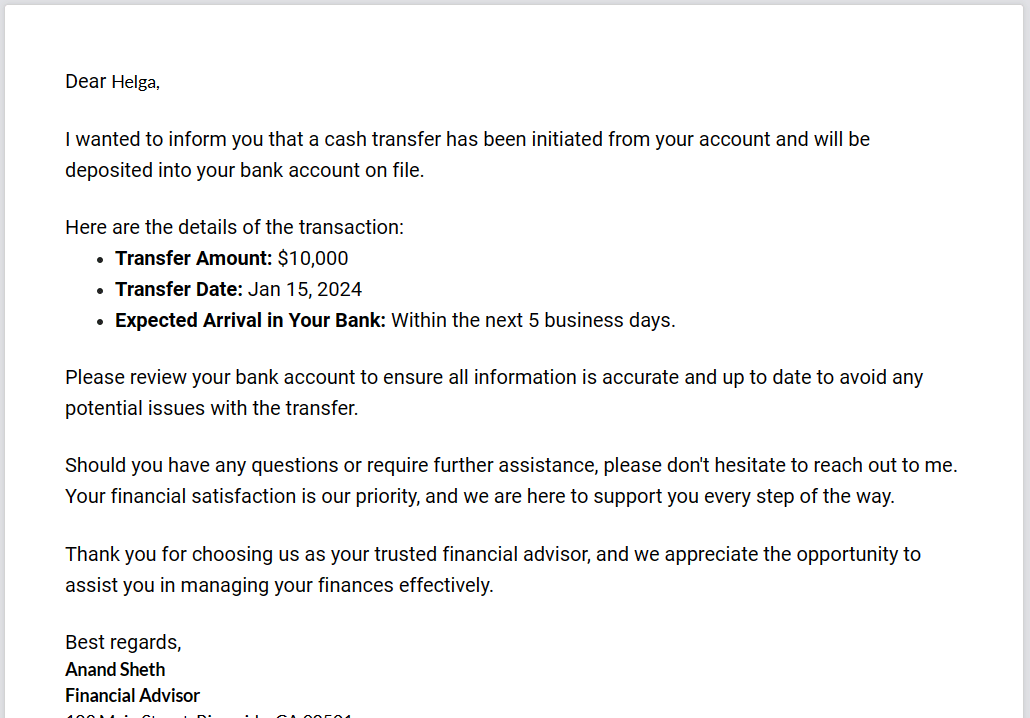
Leverage the document feature in Pulse360 to provide a more polished, consistent, and efficient communication service to your clients. This feature not only saves time but also elevates your firm’s professional image. For assistance in utilizing this feature, feel free to reach out to us.

Categorize
When you add templates, consider putting them in categories such as Onboarding, Confirmations, and so on. This will help you quickly select the right template when creating Pulse Documents.
Contact Dashboard
Use the Contact Dashboard to see the history of documents that you have created for a client. And under Past Communication, you can see any emails you have sent to them.
Frequently Asked Questions
You can use the same set of templates for both. The main difference is that the documents are typically related to a meeting under the Meetings area. The Documents area is not connected to a meeting date/time. The documents created here are connected to one or more contacts.
Currently it is not. We are working on bringing that.
Once again, this is something that we are working on bringing shortly.

